
Metamask: How to add custom networks
The advantage of creating a Metamask wallet, in addition to have full control of your private key, is being able to add other networks.
In this example, you will add the BEP20 network, for this, you must first display the list of "Ethereum Mainnet" and click the "Add Network" button:
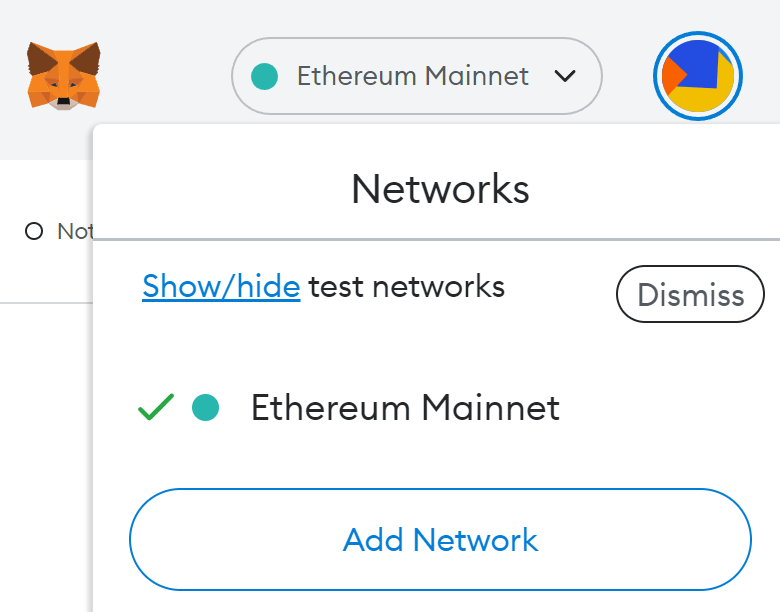
This will redirect you to the Metamask settings to set the required configuration:
BEP20 Network
Network name: Smart Chain
New RPC URL: https://bsc-dataseed.binance.org/
Chain ID: 56
Symbol: BNB
Block Explorer URL: https://bscscan.com
Source: https://academy.binance.com/en/articles/connecting-metamask-to-binance-smart-chain
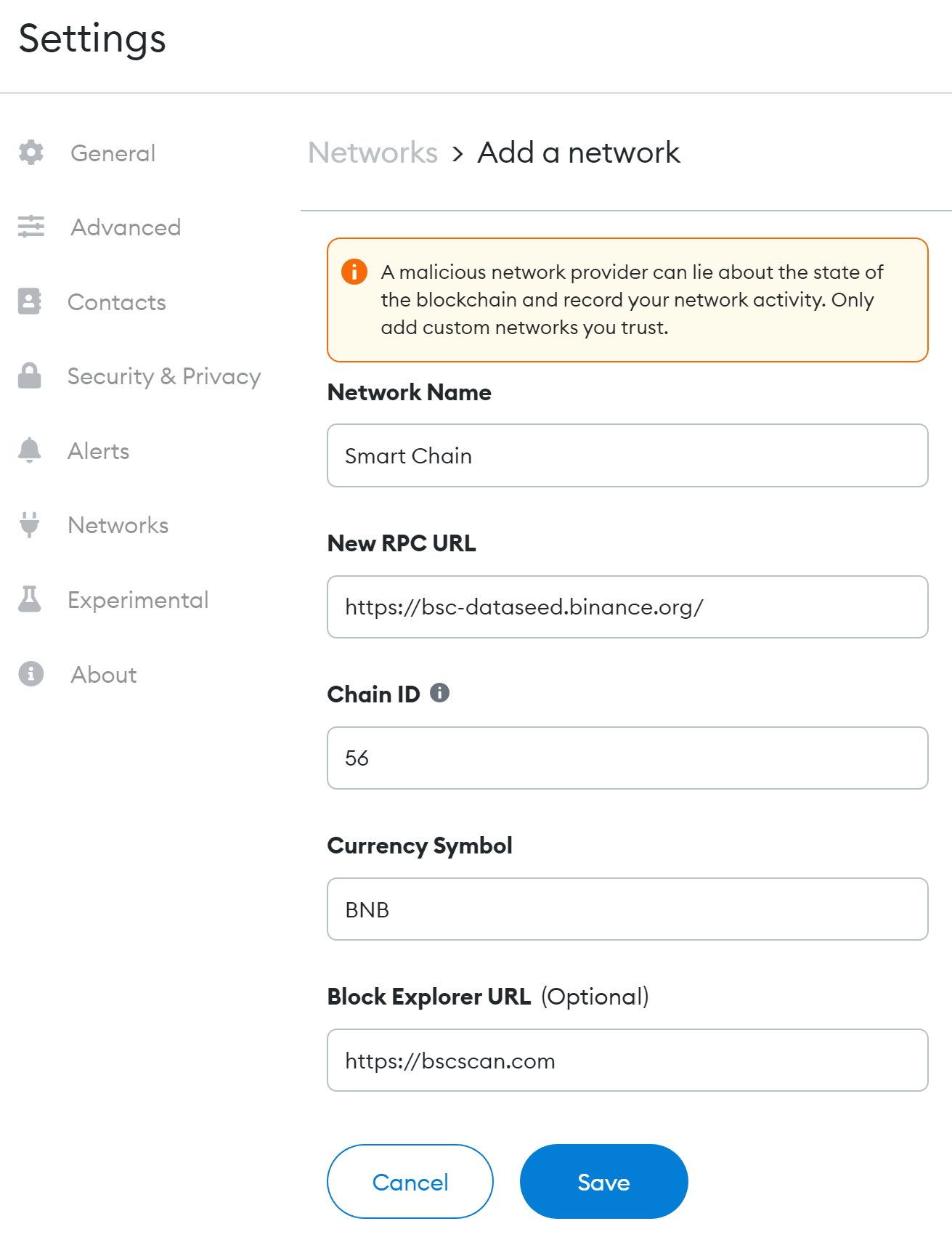
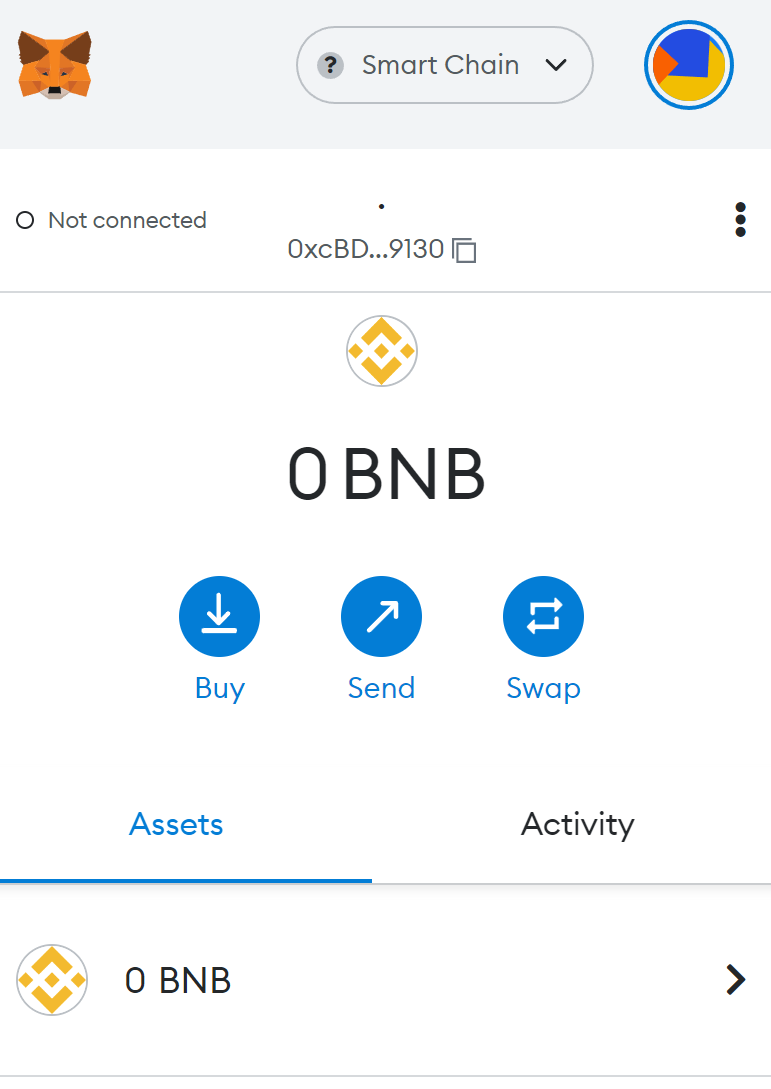
Finally, we click on Save and it's done! now you have the Binance Smart Chain network added to your wallet. 🙂
Other supported networks:
KRC20
Network Name : KCC-MAINNET
New RPC URL : https://rpc-mainnet.kcc.network
Chain ID : 321
Currency Symbol : KCS
Block Explorer URL : https://explorer.kcc.io/en
Source: https://kcclaunch.org/how-to-add-kcc-chain-in-metamask/
ARBITRUM
Network Name: Arbitrum One
New RPC URL: https://arb1.arbitrum.io/rpc
Chain ID: 42161
Currency Symbol: ETH
Block Explorer URL: https://arbiscan.io/
Source: https://academy.binance.com/en/articles/how-to-add-arbitrum-to-metamask
AVAX C-CHAIN
Network Name: Avalanche Network
New RPC URL: https://api.avax.network/ext/bc/C/rpc
Chain ID: 43114
Currency Symbol: AVAX
Block Explorer URL: https://snowtrace.io/
Source: https://support.avax.network/en/articles/4626956-how-do-i-set-up-metamask-on-avalanche
FANTOM
Network Name: Fantom Opera
New RPC URL: https://rpc.ankr.com/fantom/
Chain ID: 250
Currency Symbol: FTM
Block Explorer URL: https://ftmscan.com/
Source: https://docs.fantom.foundation/tutorials/set-up-metamask
POLYGON
Network Name: Polygon
New RPC URL: https://polygon-rpc.com/
Chain ID: 137
Currency Symbol: MATIC
Block Explorer URL: https://polygonscan.com/
Source: https://academy.binance.com/en/articles/how-to-add-polygon-to-metamask
If you have any issue, question or suggestion contact us here: