
Running a ping command on Windows
To recognize which is the closest server to your geographical location, you may run a ping command pointing to each of our available servers depending on which algorithm you are using.
This step is optional, even if you don't try it, you will be pointed to the global server that automatically detects the closest region for the best performance of your mining app. 🙂
If you still want to point your miners to a specific region, you must first do the following combination of buttons:
"Windows" + "R"
A window will open in the lower left corner of the screen where you will have to click on "OK"

You are now in the Windows Command Prompt! 👍
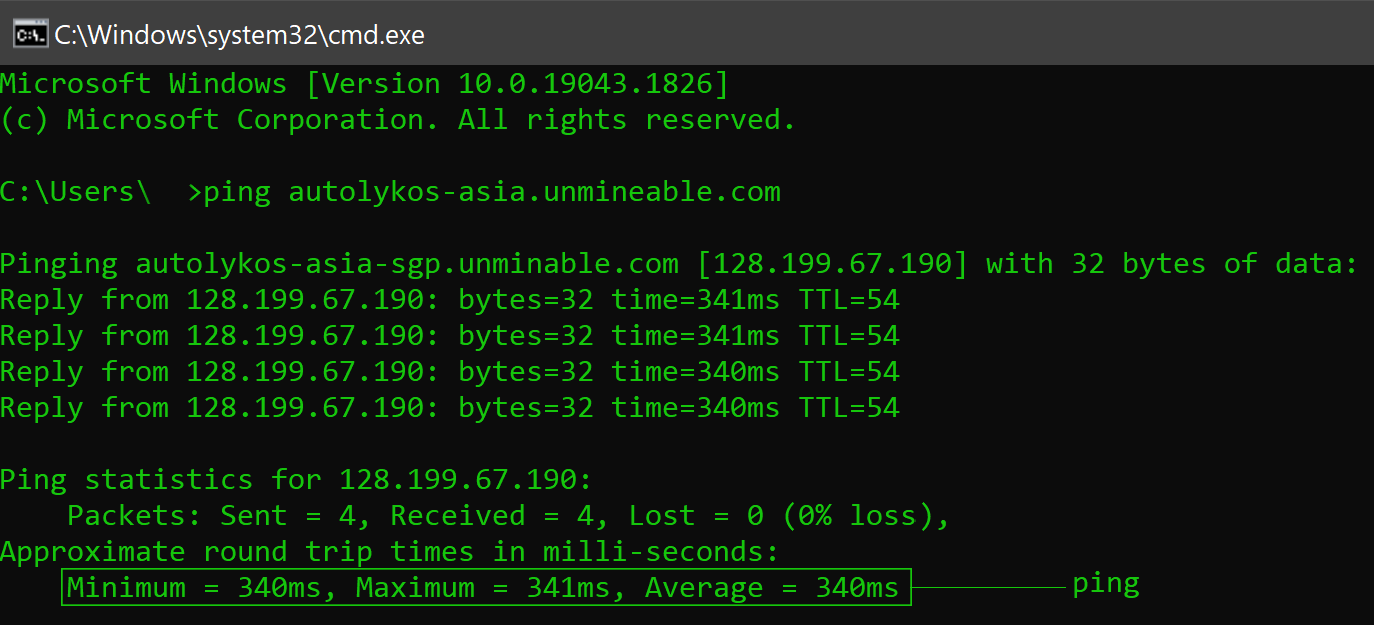
To test the ping of a custom server, it is necessary run the following command:
ping ALGORITHM-REGION.unmineable.com
You must change ALGORITHM and REGION
Algorithm:
RandomX ➡ rx
Autolykos ➡ autolykos
Kawpow ➡ kp
Etchash ➡ etchash
Ethash ➡ ethash
BeamHash ➡ beamhash
FiroPow ➡ firopow
ZelHash ➡ zelhash
ZHash ➡ zhash
KHeavyHash ➡ kheavyhash
SHA-256 ➡ sha256
Scrypt ➡ scrypt
Equihash ➡ equihash
Region:
United States ➡ us
Europe ➡ eu
Asia ➡ asia
Canada ➡ ca
Example:
If you have any issue, question or suggestion contact us here: